AEROSPACE TECHNOLOGIES
Your browser is not supported.
For the best experience, please access this site using the latest version of the following browsers:



By closing this window you acknowledge that your experience on this website may be degraded.
Honeywell ILS Autotune: Simplifying ILS Approaches for Pilots
Understanding Honeywell’s ILS Autotune Functionality
Honeywell’s ILS Autotune automates NAV radio tuning and course setting for ILS approaches, streamlining pilot workload and enhancing operational safety for EPIC, NZ and NGFMS FMS users.
What You Will Learn in This Article
- How Honeywell’s ILS Autotune works and its benefits for pilots
- Step-by-step instructions for enabling and verifying autotune
- Operational tips and common troubleshooting scenarios for ILS approaches
For operators with EPIC FMS software version 7.1 or later, NZ software 6.1 or later, or NGFMS, there has likely been some confusion about Autotune functionality.
Autotune was created to automate processes and reduce pilot workload. It automatically sets the NAV radios and course for an ILS approach when triggered by several parameters.
When an ILS approach is loaded in the FMS, the system tunes the localizer frequency and sets the inbound course at a set distance from the airport. The flight crew can then use the preview functionality to capture the localizer course directly from Long Range Navigation. In order for the system to work effectively, pilots will need to understand how to set up and execute the ILS approach as described below. Although the example used is for an EPIC MCDU-based FMS, the same behavior is found on the other FMS implementations.
Background
The FMS software automatically selects preview, sets the inbound course, and tunes the correct ILS frequency when the aircraft reaches:
> EPIC and NZ FMS: 30 nm direct and less than 75 nm flight plan distance from destination airport
> NGFMS: 30 nm direct distance from the destination airport (note this can vary by OEM up to 40nm)
The crew should leave the preview indication displayed and allow the aircraft to capture from the Long Range Navigation source (FMS displayed and is active NAV mode) by selecting APPR on the flight guidance panel once LNAV is captured.
Setup
The first step is to ensure that autotune is enabled for the NAV radios. This can be accomplished by selecting Progress Page 1 (PROG) and verifying a cyan A is displayed next to the NAV frequencies. NAV frequencies are displayed next to line select key 5L or 5R (see Fig. 1).
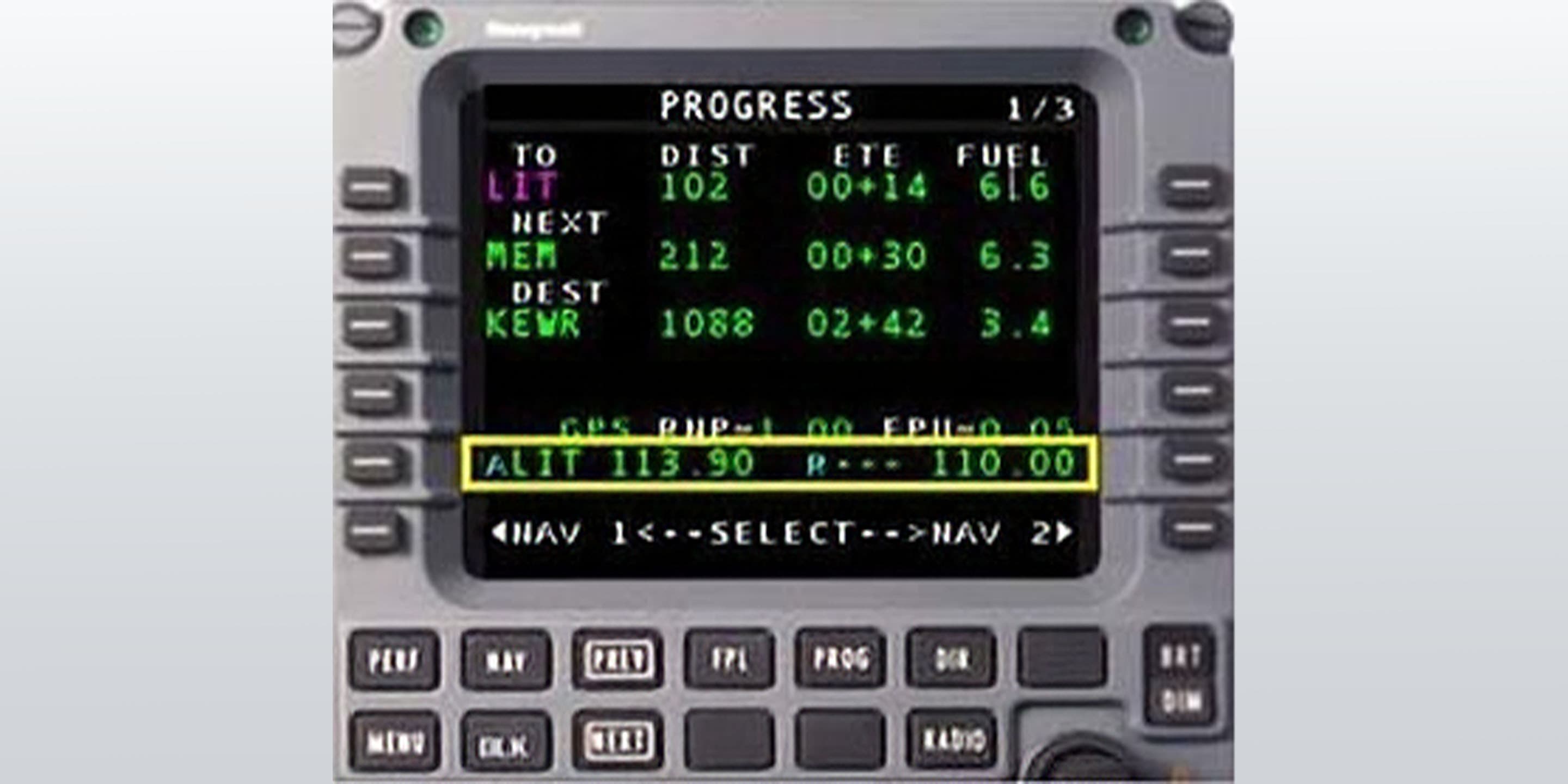
Figure 1: MCDU with Autotune Enabled
The cyan letter before the navaid identifier indicates the tuning mode for the NAV radios. The available tuning modes are: A, V, M, or R. For a detailed explanation of the different modes, refer to the chapter on progress pages in the applicable Pilot’s Guide. If autotuning is not selected, perform the following steps:
Verify FMS is the selected NAV source on the respective PFD (magenta or cyan CDI needle depending on manufacturer).
1. Press the Delete key from the keypad on the (M)CDU.
2. Press Line Select Key 5 Left and/or 5 Right to enable autotune for NAV 1 or NAV 2.
After performing this step, the crew should be able to verify autotune is enabled by either the cyan A as shown above in Figure 1 or by the indication FMS AUTO in the NAV box on the RADIO page of the MCDU (see Fig. 2).
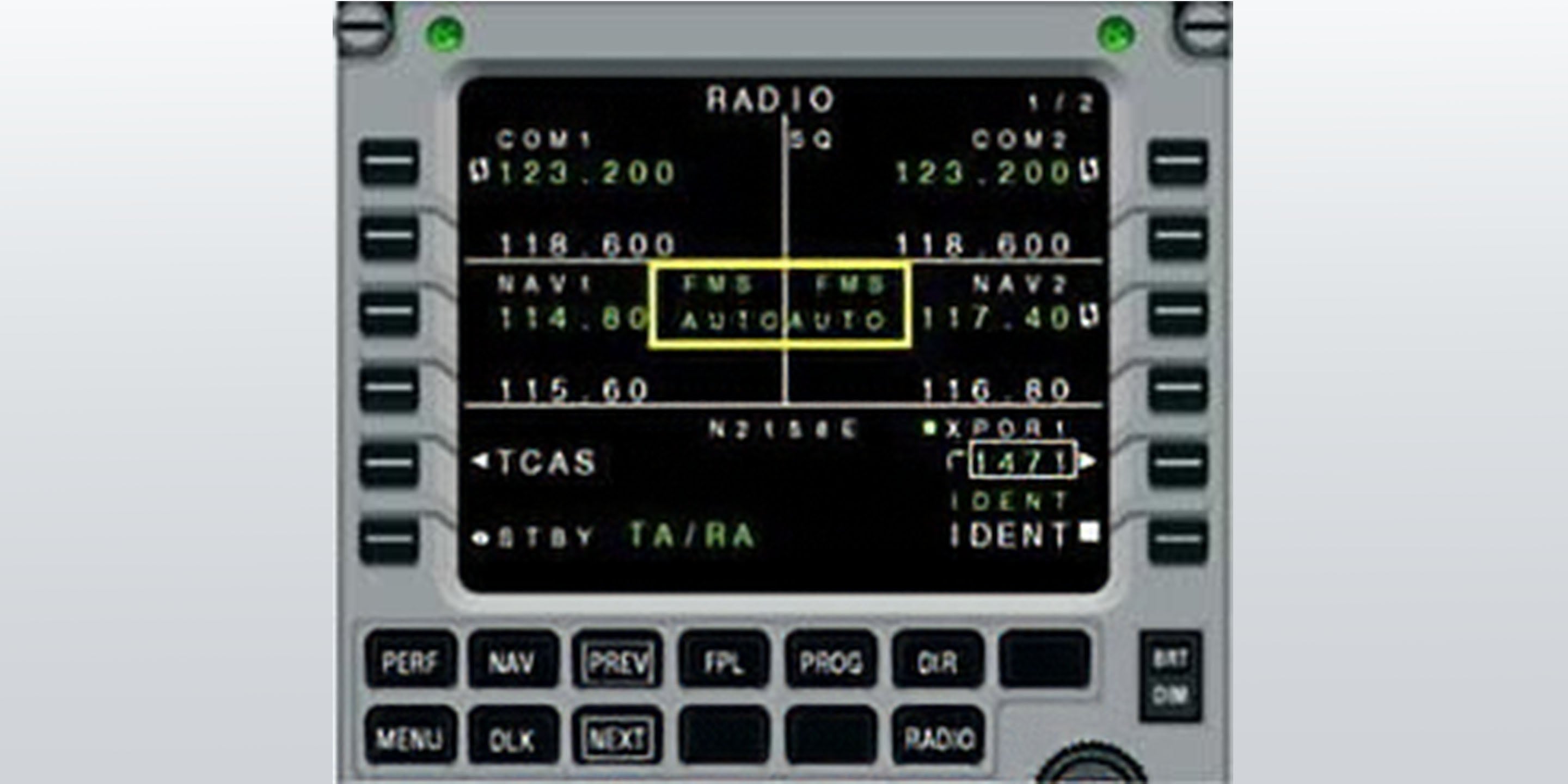
Figure 2: Autotune Indication on Radio Page
Do’s and Don’ts
> Do load the approach at the appropriate time as specified by company Standard Operating Procedure.
> Don’t press the PREVIEW key prior to, or after loading the approach. The system is designed to activate the PREVIEW mode automatically at the appropriate distance.
> Do wait until the aircraft is within 30 nm direct distance and 75 nm flight plan from the airport. The system should automatically tune the frequency and set the inbound course at that time.
Note: Use caution at airports where the arrival and the final approach course are closely aligned. Several operators have reported being cleared to join from the arrival greater than 30 nm out before the system has autotuned (e.g. KIAD and KTEB arrivals).
Be aware that unnecessary transitions on some arrivals will add mileage to the flight plan that will prevent the system from autotuning. An example would be approaching Orlando International (KMCO) planning an approach and landing to the south using the JAFAR 3 RNAV Arrival (See Fig. 3). The arrival can be used to sequence traffic landing to the north or south. If the waypoints that are used for landing north are left in the flight plan, the extra mileage it adds may prevent the autotune function from loading as the flight plan distance is greater than 75 nm.
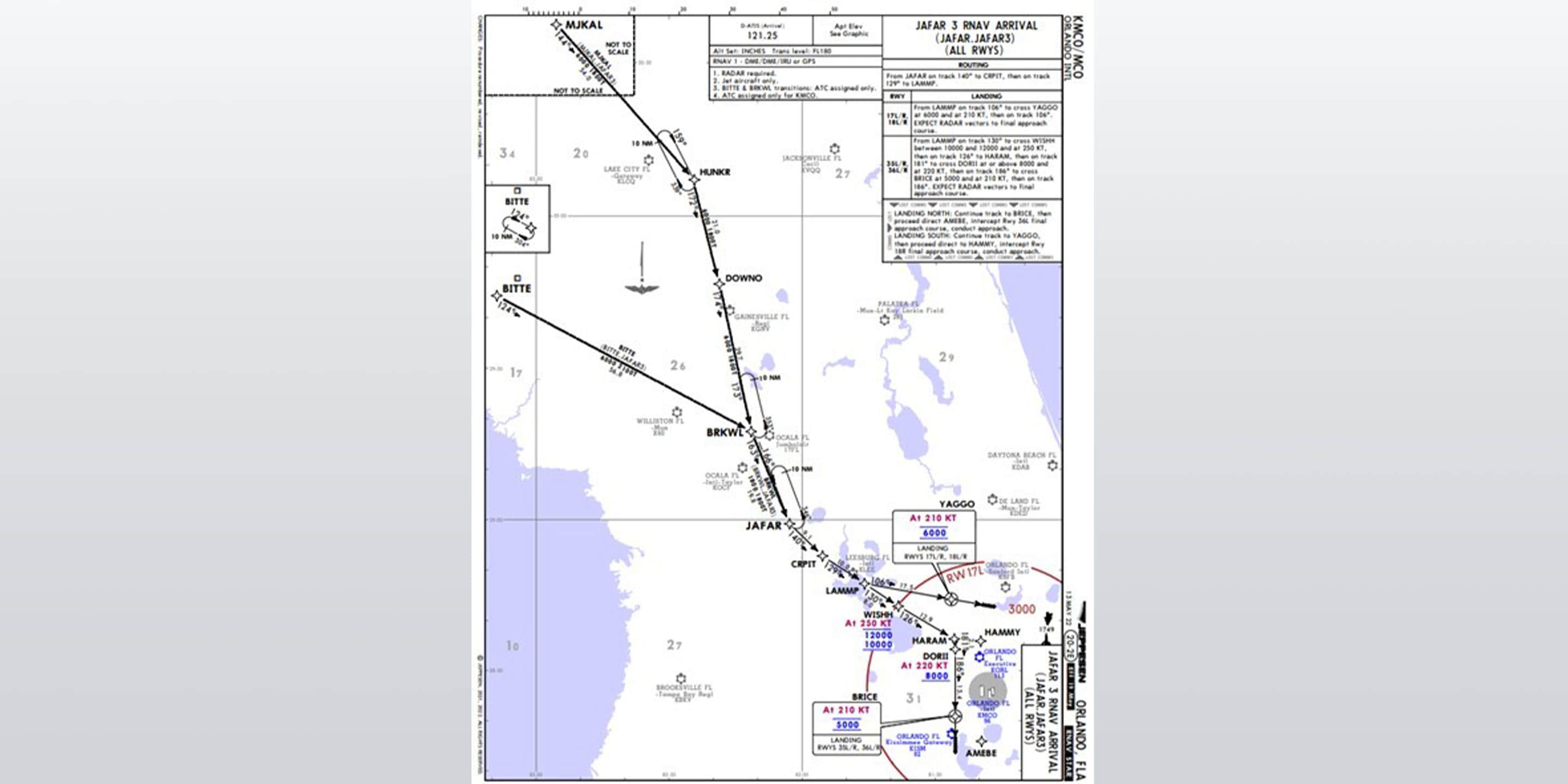
Figure 3. JAFAR arrival with transitions to multiple runways adding more than 75nm flight plan distance
Finally, for the autotune feature to work, the crew must capture from FMS (LNAV flight director mode) and the course pointer must be set to FMS. Pilots should not change to short-range navigation.
When LNAV is displayed with a ghost pointer, the APCH mode can be armed and the system will transition to short-range navigation and capture automatically. With the new software functionality, even if being radar vectored to final, the crew must initially capture the Final Approach Course on long range navigation using the NAV or HDG mode prior to selecting the APPROACH mode. Once the localizer comes alive on the preview needle, the system should automatically transition to green needles and the approach should arm and capture both localizer and glideslope normally.
For questions please contact the Flight Technical Services team at FTS@Honeywell.com.
Let's Connect!
The latest news in aerospace backed by expert insights
Sign up to receive the latest news about events, special offers and related topics via email and other forms of electronic communication.